The PUDU KettyBot Pro is the robot that puts the screen first. Where the other delivery robots in the range carry trays and happen to have a display, this one carries an 18.5 inch advertising surface at eye level and happens to have trays. That inversion is the whole product, and it decides where it belongs. This is our review.
What the KettyBot Pro is
A 1120 mm tall robot with a 435 by 450 mm footprint and a weight of 38 kg. The chassis is deliberately narrow, and PUDU cut the minimum pass through from 55 cm on the original KettyBot to 52 cm on the Pro in suitable layouts, which is the difference between a robot that stops at the display fixture and one that goes round it. It carries 10 kg per tray on 352 by 340 mm trays, with fish eye lenses watching each tray so it knows when a load has been taken.
Two screens: a 10.1 inch control screen, and the 18.5 inch advertising display that is the point of the machine. Navigation is laser and visual fusion SLAM with no floor markers, on an RGBD camera set that includes an ultra wide angle lens for a broader view of what is around it. It comes in white, yellow, and a black finish PUDU calls Samurai Black for upscale rooms.
The display, and why it is the storefront
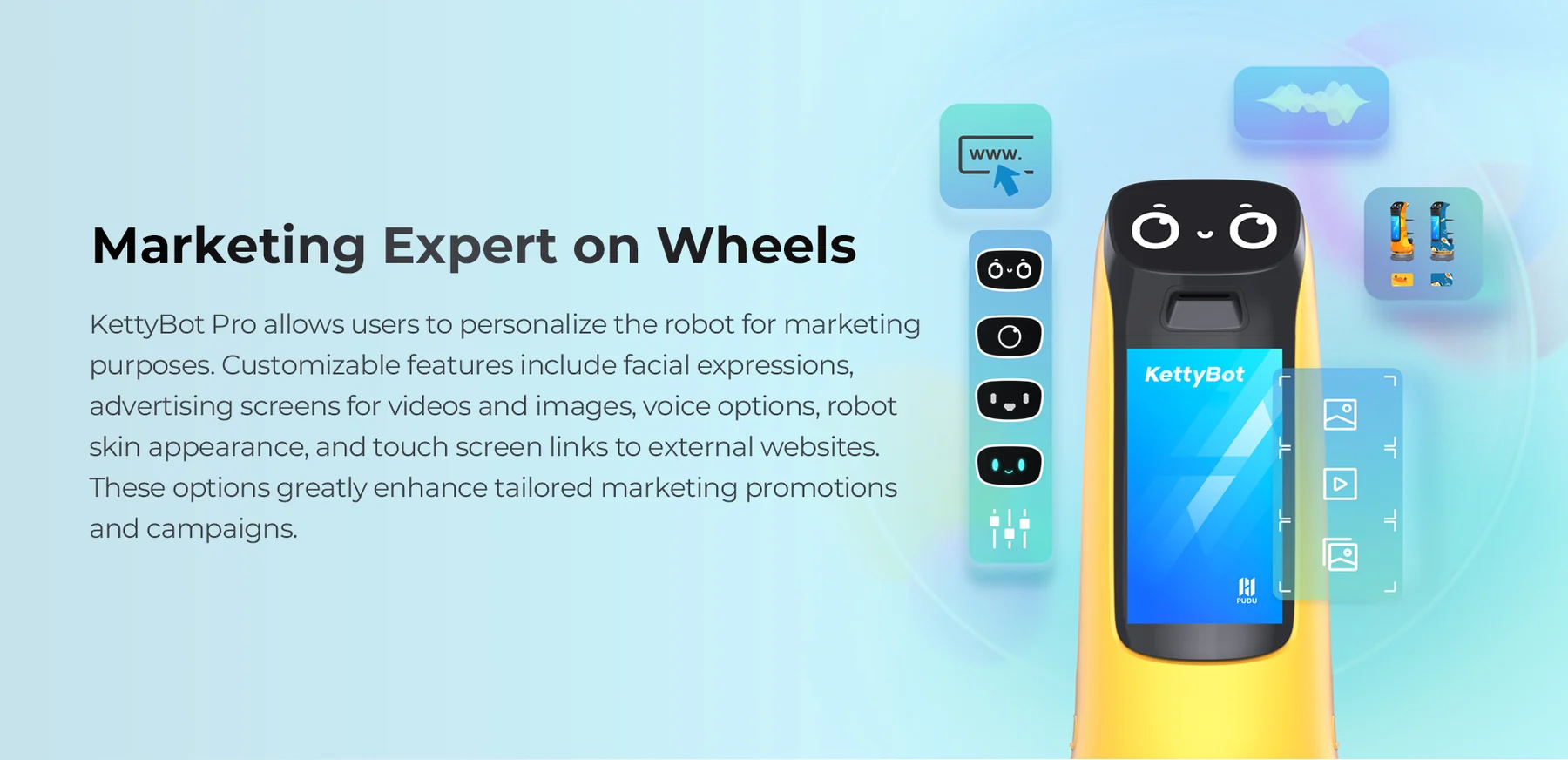
The 18.5 inch screen plays video and images from a playlist you build in the management platform, and it does so at the height a walking adult reads. Customizable faces, voice options, body skins, and touch links to your own pages sit on top of that. It is a rolling digital sign that moves through the crowd instead of waiting for the crowd to walk past it.
Donny puts the retail effect in Tovrana's own words:
The thing our customers keep telling us about KettyBot Pro is that it pulls people in off the main mall area. Shoppers spot it rolling around the store, walk in to see what it is, and end up buying something they never planned to. The 18.5 inch screen is nice, but the robot itself is the storefront.
That is the honest measure of an advertising robot. The screen content matters less than the fact that a robot is moving through the space with your brand on it. People stop, look, and follow, and the screen closes the loop with a promotion or a direction.
Greeting and guiding
The second job is the front door. KettyBot Pro greets arrivals, answers the "where is" question with a guide to the counter, the department, or the exhibit, and does it with a consistent, friendly manner on a Saturday afternoon when the human at the desk is three deep. In a hotel or corporate lobby it points the way to check in and keeps the brand on screen at the door. In a museum it leads a visitor to the gallery they asked for and plays the introduction on the way.
KettyBot Pro at a glance
435 x 450 x 1120 mm, 38 kg. 10 kg per tray, tray 352 x 340 mm, fish eye tray detection. 52 cm minimum pass through in suitable layouts. 20 Ah battery, about 9 hours, 3.5 hour charge, auto charge at the dock. 0.2 to 1.2 m/s. Laser and visual fusion SLAM, marker free, one normal and one ultra wide angle RGBD camera. 10.1 inch control screen plus 18.5 inch advertising display. White, yellow, or Samurai Black. MSRP $14,000.
Retail and malls
This is its home. A store on a mall concourse competes for the shoppers walking past, and a robot that circulates near the entrance with a promotion on screen is a draw that a printed sign is not. Inside the store it guides to a department, runs a special on the screen, and carries an item to the counter. The 52 cm pass through is what makes it viable between fixtures and racks that stop a wider robot. Our retail page covers how we plan a store floor around it, and around the cleaning robot that usually shares the space.
Museums
A museum wants a greeter that knows the building and a screen that can carry the introduction to an exhibit, in more than one language if it needs to. KettyBot Pro does both, and it does them at a walking pace that suits a gallery. It is quiet, it fits the corridors between cases, and the screen is a natural place for the day's program. See our museums page for the visitor flow we design around.
Event venues
Conferences, expos, and event spaces change layout every week, which is where marker free navigation earns its keep: remap the floor, load the sponsor playlist, and the robot is working the hall. It greets at registration, guides to the breakout room, promotes the sponsor on screen, and carries documents or refreshments to a stand. Our event venues page covers the setup for a venue that turns over fast.
Delivery: still real, second on the list
It carries. Ten kilograms per tray is a round of coffees, a set of documents, or a plated course, and the fish eye tray detection means it waits until the item is taken and then moves on. In a cafe or a tight restaurant it runs food to tables and threads gaps a BellaBot Pro cannot. But its trays are smaller, its total load is lower, and it lacks the table side interaction features, so where the job is mostly delivery, it is not the first pick.
KettyBot Pro or BellaBot Pro
The same question from the other side. The BellaBot Pro carries four trays and 40 kg with tray lighting and dish recognition, for full table service. The KettyBot Pro leads with the screen, fits through 52 cm, and carries 10 kg per tray. Front door, footfall, promotion, guiding: KettyBot Pro. Dining room table service: BellaBot Pro. The comparison page lays the two out line by line.
What it does not do
It does not carry heavy or bulky loads; 10 kg per tray on a small tray is the limit. It does not replace a person who can answer a complicated question, take a payment, or handle a complaint; it greets and guides, then hands off. It does not go outdoors in weather, and it will not fit a gap under 52 cm or, in layouts that are not suited to the tighter figure, under 55 cm. And a screen is only as good as what you put on it: a venue that will not maintain the playlist gets a robot showing last month's offer.
Deployment realities
Mapping is quick because there are no markers to install. The work is in the content: faces, voice, playlist, and the touch links, which a manager sets up once and then updates on a schedule. Charging is automatic at the dock, with about 9 hours of run time and a 3.5 hour charge, so a mall trading day is covered with a charge overnight. There is no watch page for the KettyBot Pro yet; the product page carries the details and the videos hub has the rest of the lineup.
Verdict
The KettyBot Pro is the right robot when the room is the business: a store on a concourse, a museum entrance, an event hall, a lobby. It is a moving storefront that also greets, guides, and carries, and the narrow chassis means it fits the floors those businesses actually have. Where the job is table service, buy the BellaBot Pro; where it is back of house volume, the PuduBot 2. Where it is footfall and first impressions, this is the one.
Its $14,000 MSRP is listed beside every other robot in the lineup on our PUDU robot pricing page. Book a demo and we will bring one to your floor with your own promotion on the screen.
Frequently asked questions
What is the KettyBot Pro used for?
Greeting arrivals, guiding people to a counter, department, or exhibit, promoting on its 18.5 inch advertising display as it moves, and delivering items on its trays. It suits retail floors, malls, museums, event venues, and lobbies.
How narrow a gap can the KettyBot Pro pass through?
52 cm in suitable layouts, down from 55 cm on the original KettyBot, which lets it work between store fixtures and closely set tables.
Is the KettyBot Pro an advertising robot for shopping malls?
Yes. Its eye level 18.5 inch screen plays your playlist of video and images while it circulates, and the robot itself draws shoppers in from the concourse.
How long does the KettyBot Pro run?
About 9 hours on a 20 Ah battery, recharging in about 3.5 hours at its dock automatically.
See it in your space
Book a live demonstration and we will prepare a full ROI and finance or lease proposal.
Request a demo Explore the robotsGet the Clean Sheet weekly
Practical guidance on commercial cleaning and service robots, one email a week. No spam, and you can unsubscribe any time.